
AI website audit report: know what needs attention.
Find the gaps before funding the fix. Logue Media reviews your selected pages for buyer clarity, search readiness and evidence that supports AI recommendations.
What is the Client Facing Audit Report?
The Client Facing Audit Report (CFAR) diagnoses issues on selected public website pages. You receive evidence-backed findings, a Business Owner Strategic Report, a user guide and included advisory support. It explains what needs attention and why; detailed implementation planning and website changes are separate services.
Diagnose before you commission
Which website problem are you actually paying to solve?
A low enquiry count does not explain its cause. The report separates what the reviewed pages show from questions that need analytics, account access or live search testing.
01
An unclear offer
A visitor reaches a service page but cannot tell who it is for, what is included or how to buy. Adding more traffic will not answer those questions.
02
Unsupported claims
The page says you are experienced, but gives buyers little evidence to assess. Useful findings identify the missing proof rather than prescribe more adjectives.
03
Conflicting signals
A location claim, canonical reference or internal link points buyers and search systems in a different direction. The affected page and evidence need to be identifiable.
Scope & deliverables
What does your website audit report contain?
Select an output. Each has a different job: diagnose the issue, explain the business consequence or help you use the report.
01
See the issue on the page where it occurs.
The CFAR records findings supported by the captured public evidence and the applicable checks. It identifies the affected page, explains the problem and gives a recommended direction.
Output: A traceable diagnosis, not a list of assumptions about your rankings.
02
Understand the consequence before approving spend.
The Business Owner Strategic Report translates the findings into business questions: can customers understand the offer, assess credibility and take the next step?
Output: A strategic reading of the audit; a detailed Client Action Plan is a separate scope.
03
Know how to read the findings.
The CFAR Client User Guide explains the report structure so your team can distinguish observations, recommendations and limitations.
Output: A reference your decision-maker and delivery team can use together.
04
Resolve questions about the agreed report.
Use the included advisory support to understand the findings and discuss sensible next steps. Confirm its scope and arrangements before purchase.
Output: Clarity about the report; implementation is not automatically included.
Search, local relevance & AI
What does this scope address?
Select a view to distinguish the work from outcomes it cannot establish.

Do the selected pages explain distinct services?
We review page purpose, titles, headings, internal relationships and visible technical signals. A finding might show competing service copy or an enquiry route that is difficult to follow.
The evidence is tied to the reviewed pages. A wider crawl or private Search Console investigation needs its own agreed scope.

Can customers tell where and how you work?
We check genuine premises, service areas, appointment arrangements and on-site or remote delivery claims. A town name alone does not make a useful local service page.
Conflicting location details and unsupported office claims are actionable findings. This website review does not establish Maps eligibility or ranking.

Does the website give AI answers something credible to use?
AI Search & Recommendation Optimisation (AISRO) concerns being understood and recommended for the right need. We review explicit service answers, suitability and supporting evidence—not just whether text can be crawled.
A mention, linked citation and visual source card are different appearances. Actual position and visibility in live AI answers require separately scoped query testing.
From the plan to the work
A finding should show you where to look.
An affected page, supporting evidence and a clear explanation are more useful than an unexplained score.
How we work
Which pages will we review—and what will the findings support?
Choose a stage to see the decisions and responsibilities.

Start with the services that matter commercially.
Give Logue Media your website, priority services, customers and concerns. Select an exact page scope and nominate important URLs before production.
An agreed page list and package, with exclusions recorded.

Keep observation separate from inference.
Logue Media checks the report against the captured public pages. Missing private data is a limitation, not permission to invent a performance conclusion.
Manually checked findings with their source and practical meaning.

Decide whether you need a plan or a defined repair.
Review the report with your team. If responsibilities and work sequencing remain unclear, scope a CAP. If the required change is already clear, discuss repair directly.
A decision on the next stage; no automatic website changes.
Delivery pathway
How does the work move forward?
Logue Media is based in Umina Beach and works remotely with businesses across Australia. The steps below keep scope and responsibility explicit.



Inspect the published examples
See the documents before choosing the scope.
Examples illustrate the deliverable format and may show earlier versions. They are not client ranking results; confirm the current package before purchase.

CFAR
Published document example
CFAR
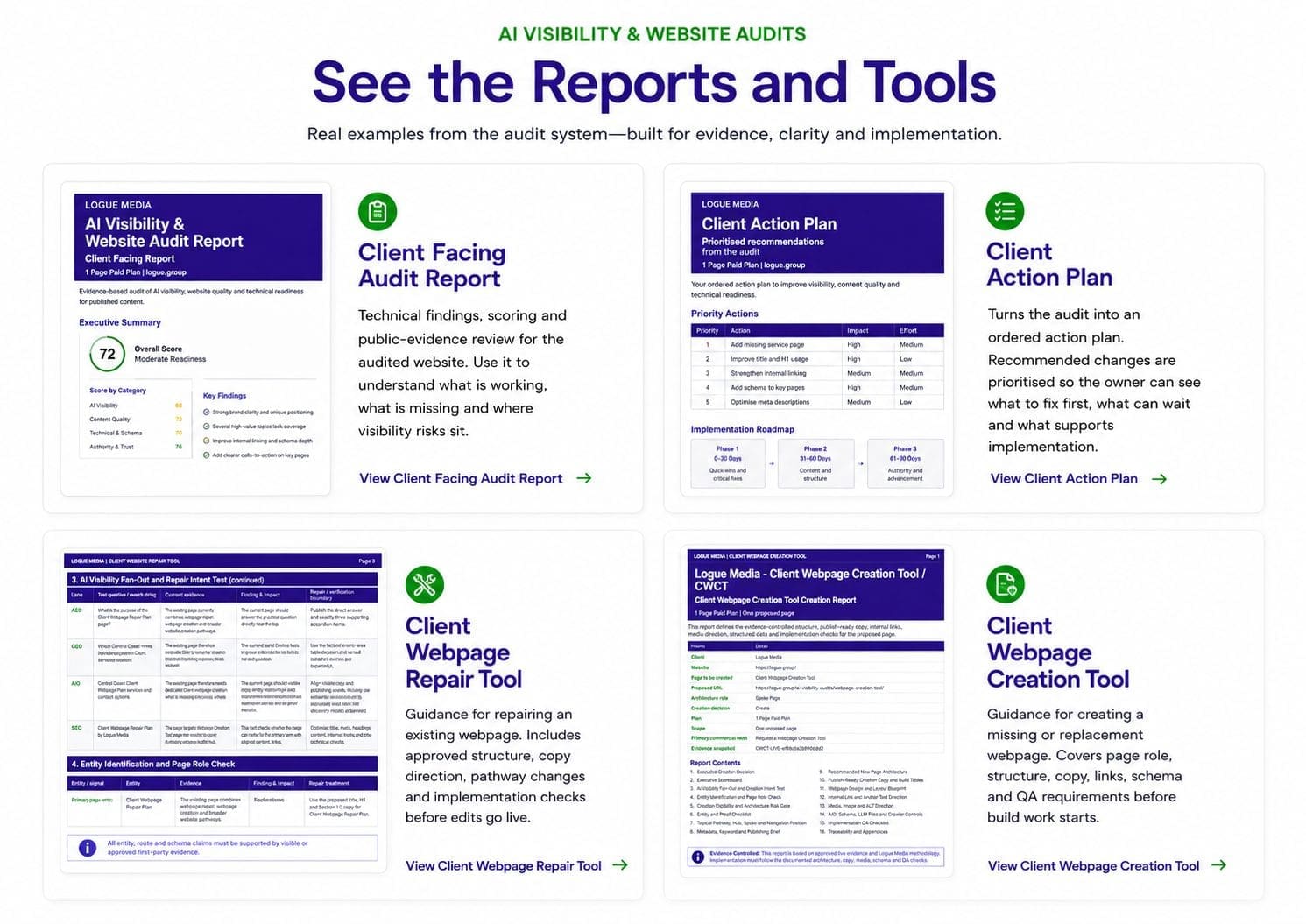
See how an issue is tied to an affected page and the public evidence that supports it. The CFAR explains what needs attention, why it matters to the buyer and the recommended direction.
Use the example to assess the depth of diagnosis before choosing your page scope. It is not an implementation plan or proof of live AI rankings.
BOSR
Published document example
BOSR
Understand what the audit findings mean for the business—not just the website. The Business Owner Strategic Report helps you consider whether customers can understand the offer, assess its credibility and take the next step.
Use it to discuss where attention and budget belong. Detailed task allocation and implementation planning sit in the separate Client Action Plan.
User Guide
Published document example
User Guide
Give your team a shared way to read the audit. The user guide explains the report structure and terminology so an owner, marketer and developer can distinguish an observation from a recommendation or limitation.
Keep it alongside the CFAR when reviewing findings and preparing questions for the included advisory support.
From findings to action
Do not commission a rebuild without understanding the problem.
Use the report to decide what to retain, clarify, substantiate or repair.
Scope & pricing
Confirm the deliverables before commissioning.
Paid scopes cover 10–100 pages; larger reviews are quoted. A limited free 10-page pathway is subject to approval and provides reduced detail. It is not the paid report at no charge.
| Service | Starting scope | Price |
|---|---|---|
| Paid CFAR | Exact scope from 10 pages; includes CFAR, BOSR, guide and advisory. | $1,450 + GST |
Check current audit pricing and package terms.
What happens after the audit?
Choose the next step from the findings and the work your team can take on.

Client Action Plan
Turn findings into an agreed order of work.
When the audit identifies several issues, decide what comes first and who needs to act. CAP translates accepted findings into page-level actions, dependencies and completion checks your team can use.

Webpage Repair
Act on a problem in an existing page.
If the report exposes an unclear offer, weak supporting evidence or a confusing enquiry path, scope a repair around that page. Agree the changes and checks before moving into implementation.

Webpage Creation
Fill a gap the audit has uncovered.
Sometimes the missing answer needs its own page. Use Webpage Creation to define its purpose, develop the structure and copy, and connect it to the relevant pages already on your website.
Your own team can use the report. These services are optional; installation, testing and publishing are included only where agreed.
Questions about audit report.
Is this a live AI ranking report?
No. CFAR assesses the reviewed website pages. Testing whether a business appears first, in the top three or behind “show more” in live AI answers requires an expressly agreed query-testing scope.
Can I choose the pages?
Yes. Nominate priority pages and agree the exact paid page scope before work begins. Tell us if a service, location or enquiry journey matters more than another.
Does the report include Google Business Profile or analytics access?
Private account analysis is not assumed. This is a public on-page review; any Search Console, Business Profile or analytics work must be agreed separately.
What is the difference between CFAR and CAP?
CFAR diagnoses supported issues. CAP turns accepted findings into prioritised actions, responsibilities, dependencies and completion checks. Buy the combination only when you need both.
Will Logue Media fix the website?
The report does not include website implementation. Your team can use the findings, or Logue Media can quote an agreed repair or creation scope.
Does a better report guarantee AI citations or enquiries?
No. The review identifies readiness and evidence gaps. Search visibility, recommendations and customer enquiries depend on factors beyond the report.
Choose your next step
Choose the pages you want reviewed.
Configure the CFAR scope, then let Logue Media confirm the work and fee before production.