
CORPORATE EVENT LIVESTREAM PRODUCTION
Corporate Event Livestream Production
Bring the business event to people who cannot be in the room.
Conferences, town halls, AGMs, launches and internal events need more than a camera pointed at a stage. The remote audience needs deliberate audio, camera coverage, presentation feeds, programme cues and a clear delivery plan.
Video & transcript
Read the timestamped transcript
Click a timestamp to play the video from that point.
0:02 hey there ever wondered how to take your corporate events to the next level let’s talk about professional
0:09 corporate event live stream services with log media you can broadcast seamlessly from anywhere in
0:16 Central Coast Newcastle Hunter Valley Port stevens or Sydney so what exactly is corporate event live
0:25 streaming it’s a Live digital broadcast of your business event allowing remote particip IP ation viewing interaction and
0:32 engagement perfect for conferences agms product launches employee training and more why should you invest in corporate
0:41 event live streaming first off it expands your audience reach letting attendees join from literally
0:48 anywhere it enhances engagement with interactive features like Live question and answers polls and
0:55 chat plus you can record and repurpose content for future use it’s a cost-effective alternative to in-person events reducing travel and
1:04 logistical expenses and it ensures professional communication with realtime access to key discussions and
1:12 presentations now what’s included in a corporate event live stream with log media think multicamera setups for
1:20 engaging viewing experiences high quality audio for crystal clear sound and real-time streaming with minimal delay you also get private and public
1:29 streaming options live quanda and chat features for audience interaction and of course customized
1:35 solutions to meet your specific event needs let’s talk FAQs what types of events can you
1:44 stream conferences business Summits board meetings agms training sessions workshops product demos you name it how
1:52 reliable is it with high-speed internet multiple backup connections and professional grade encoders your broadcast is St able and
2:01 secure what about privacy password protected streams private links and platform specific streaming options have got you
2:09 covered and for costs it all depends on your event duration complexity number of cameras and crew and additional
2:16 features custom pricing and packages are available why work with log media they offer reliable and
2:24 highquality corporate streaming with broadcast grade equipment and secure multi-platform options they handle seamless technical execution
2:33 with on-site setup and testing realtime monitoring and backup Solutions post event they provide
2:40 recorded videos edited highlights and even transcriptions and captioning don’t just take my word for it check out their client testimonials
2:49 and video success stories on their website ready to elevate your corporate events head over to the live stream
2:57 production inquiry form on their web page remember they serve Central Coast Newcastle Hunter Valley Port Stevens and
3:05 Sydney thanks for watching hit that like button if you found this helpful and subscribe for more tips on mastering your corporate
3:14 events see you next time
What is corporate event livestream production?
Corporate event livestream production is the coordinated capture, live mixing and online delivery of a business event to viewers who are not in the room. It can combine camera feeds, presenter and room audio, presentation slides, video playback, graphics, remote contributors and a recorded master for replay.
The production brief should define who controls the programme, where each signal comes from, how remote contributors join, what online viewers need to see and hear, and which fallback decisions are practical before the event goes live.
When does a corporate event need more than one camera?
When the online audience must follow multiple presenters, panels, demonstrations, audience questions or a stage that cannot be covered clearly from one fixed position.
Can slides and video playback be shown directly?
Yes, where suitable presentation feeds are available. Direct sources are usually clearer for remote viewers than filming the venue screen.
Can the event be recorded for replay?
Yes, when recording and replay are included in the agreed scope. Approval, editing and repurposing requirements should be defined before production.
CORPORATE EVENT REALITY
One event. Two audiences.
People in the venue can turn their head, hear the room and read the presentation screen. Remote viewers receive only the signals the production deliberately sends them.
Match the livestream to the corporate event.
A conference, town hall, AGM and launch may use similar production tools, but the audience, programme and decision risks are different.
Keep remote viewers oriented
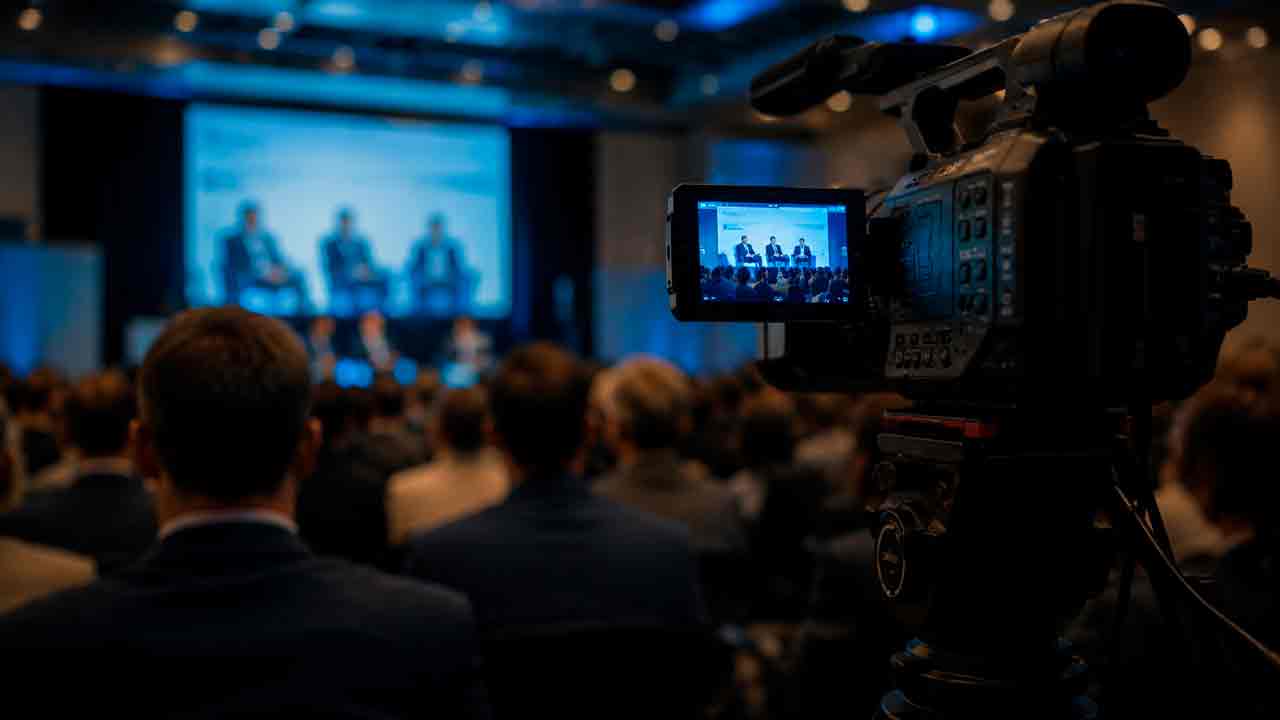
Panels need clear speaker identification, reliable microphones, audience-question handling and camera coverage that shows who is speaking without losing context. Slides or playback are better handled as direct feeds where possible.
For longer programmes, we also plan how the stream returns to a useful wide shot between speakers, how panel changes are covered and whether audience microphones need to be included. That keeps the online viewer following the event rather than watching a sequence of disconnected close-ups.
Prioritise clear leadership communication
Internal events often prioritise intelligible speech, leadership visibility and controlled access. The brief may include remote staff, Q&A, prerecorded segments and replay access for people who cannot join live.
We also clarify whether staff questions are taken from the room, remotely, or both, and who decides when those contributions enter the programme. For internal communications, a technically clean stream is only useful if employees can actually follow the discussion and access it securely.
Make responsibilities explicit
Formal meetings benefit from a clearly agreed running order, presentation-source ownership, participant access and recording requirements before the event starts.
Voting, resolutions, shareholder questions or confidential material can change the technical brief even when the camera setup looks simple. We therefore separate production responsibilities from governance responsibilities and confirm which parts of the event may be broadcast, recorded or replayed.
Plan the moments that matter online
A launch can combine presenters, demonstrations, graphics, playback and remote contributors. The stream should prioritise the moments viewers must see clearly and how the recording will be reused afterwards.
Product reveals and demonstrations often need tighter cueing than a standard presentation because the online audience cannot move closer or change viewpoint. We plan the reveal, detail shots, supporting media and presenter transitions around what the remote viewer actually needs to understand.
Four decisions shape the corporate livestream.
Work from the programme outward: what viewers need to follow, where each signal comes from, how the stream is delivered and what is retained afterwards.
Programme
Speakers, panels, slides, demonstrations, Q&A, playback and remote contributors.
Signals
Cameras, presenter microphones, room sound, presentation feeds, video playback and graphics.
Delivery
Viewer access, platform ownership, venue connectivity, monitoring and fallback options.
Replay
Master recording, replay approval, delayed delivery, highlights or other post-event assets.
Corporate livestreaming is an event operation, not just a camera feed.
Good production makes the online audience feel that someone has deliberately planned what they see, what they hear, how they follow the programme and what happens when a speaker, source or connection changes.
In person where the corporate event requires it.
Use the carousel to see how venue location and remote contribution change the production brief. Central Coast is our primary physical service area; other NSW locations are quoted according to access, crew, travel and event complexity.



Agree the technical responsibilities before the event.
A corporate venue may already have microphones, screens, an AV operator, internet access or presentation systems. The livestream scope should identify exactly where Logue Media's responsibility begins and ends.
| Area | What to clarify |
|---|---|
| Venue & access | Load-in time, camera positions, cable routes, power, room restrictions and rehearsal access. |
| Audio | Who supplies presenter microphones, room mix and the feed used by the livestream. |
| Presentations | How slides, playback and demonstrations reach both the room and the online audience. |
| Connectivity | Available network, testing window, platform access and practical backup options. |
| Programme control | Who calls cues, approves changes and communicates with presenters during the event. |
| Recording | Whether a master recording, replay, delayed stream or post-event assets are included. |
See existing packages or request a tailored scope
A package depends on the venue, event date, technical complexity, production crew and agreed recording or replay scope.
Questions to settle before you book a corporate livestream
Clear responsibilities are easier to build into the brief than resolve during production.
How early should we plan a corporate event livestream?
Start once the venue, event format and approximate programme are known. Early access to audio, presentation, connectivity and remote-speaker information makes technical gaps easier to resolve.
Can Logue Media work with the venue's existing AV team?
Yes. The hand-off points should be explicit: audio feeds, presentation signals, camera positions, network access, cueing and responsibility if a source changes.
Can remote presenters or interview guests be included?
Yes, where the event scope provides a suitable joining method, return audio, testing and rehearsal. Remote guests should be planned programme sources rather than introduced for the first time during the live event.
Can the livestream be private rather than public?
The distribution method can be scoped around the intended audience and platform. Platform permissions, account ownership and viewer access need to be confirmed before event day.
Will we receive a recording after the event?
A recording can be included when it forms part of the agreed scope. Replay, delayed delivery, highlights or additional edits should be specified before production.
Tell us about your corporate event.
Share the venue, event date, presenters and any remote guests, expected viewers, streaming destination, presentation sources and recording requirements.
The proposal identifies what Logue Media provides, what remains with the organiser or venue, and what needs separate approval.
Related Streaming Production services
Use these when the event is better defined by its delivery format or production standard than by the corporate-event setting itself.
 Social Media StreamingHover or tap to explore