
Updated: October 2026
Video & transcript
Read the timestamped transcript
Click a timestamp to play the video from that point.
0:02 so how are you planning to distribute your live stream not by Courier or post we hope ever wondered how to take your
0:09 Brand's social media presence to the next level I'm here to tell you that selecting the right social media platform is a game Cher whether you're
0:18 in Central Coast Newcastle Hunter Valley Port stevens or Sydney you need the right distribution platform so let's
0:26 talk about why live streaming is essential for your brand in today's fast-paced Digital World attention is
0:33 the new currency and there's no better way to capture it than by going live imagine connecting with your audience in
0:40 real time showcasing your Brand's personality and engaging them like never before that's the power of live
0:48 streaming now you might be thinking how do I even start that's where log media comes in we're not just another video
0:56 production company we're your dedicated business experts streaming and social media streaming partner we specialize in
1:03 multiplatform broadcasting professional video and audio production and real-time audience interaction picture this you're
1:11 launching a new product with our services you can do it live across multiple social media platforms like
1:17 Facebook live Instagram live YouTube Tik Tok LinkedIn and twitch all at once our
1:24 team ensures everything is seamless and high quality from multicamera setups to Crystal clear audio but it doesn't stop
1:32 there we also offer custom branding options your live streams will not only look professional but also reflect your
1:40 Brand's unique identity to your audience think of it as your Brand's live TV show tailored to engage your audience and
1:47 build a loyal Community speaking of Engagement our realtime interaction tools are a game Cher live chats polls
1:56 Q&A sessions you name it we've got it these features help you interact with your viewers directly answering their
2:03 questions and Gathering valuable feedback on the spot it creates an immersive experience that keeps your audience coming back for more let's hear
2:12 it from one of our clients Darren is a great producer he was guiding us on every step of the video with patience and professionalism I highly recommend
2:21 their service log media transformed our social media presence their live streams have helped us connect with our audience
2:28 in a way we never thought possible we've seen a significant increase in engagement leads and brand awareness how
2:36 awesome is that Real Results real fast and it all starts with a professional grade live stream so what are you
2:44 waiting for if you're ready to unlock the power of live streaming and grow your business reach out to log media today visit our website at log. grroup
2:53 streaming productional media-streaming for a free consultation remember remember in the world of social media it's not just
3:02 about being seen it's about being remembered go live connect deeper and watch your brand sore thanks for
3:10 watching don't forget to like subscribe and hit that notification Bell for more tips on taking your brand to the next
3:16 level see you next time
What is social media streaming?
Social media streaming is the live production and delivery of video to an audience watching through a social platform.
It can support demonstrations, discussions, announcements or live coverage. Framing, graphics, audience interaction and delivery need to suit the selected channel and the account’s available live features.
Begin with the audience and destination. Confirm account access and the production route, then plan the sources and who responds to comments. A live stream should have a useful purpose beyond being live.
Should the stream be vertical or horizontal?
Choose the frame around the destination and viewing context. If both formats are required, plan the camera framing and graphics for each output rather than relying on an automatic crop.
Can we broadcast to more than one channel?
Multiple destinations can be assessed during scoping. Account permissions, supported delivery methods, output formats and comment responsibilities must be confirmed for each channel.
Who handles live comments?
Assign a person to monitor comments and decide which questions reach the presenter. Moderation is a separate responsibility from operating cameras and switching the programme.
SOCIAL MEDIA STREAMING
Fit the screen. Serve the viewer.
Social viewers may arrive halfway through a stream and watch on a small screen. Important material needs a readable frame and clear sound. A presenter also needs an agreed way to notice useful questions without losing the thread of the session.
Choose a useful live format.
A demonstration, question session and live event need different pacing and source choices. Start with the reason your audience would watch and take part.
Give questions a clear route
A live question session needs a presenter who can keep the discussion moving and a moderator who can sort comments. Decide which topics are in scope and how difficult or private questions are handled.
The camera and sound setup should keep the conversation easy to follow. An agreed opening, recurring context and clear close help people who join late understand the purpose without requiring the presenter to read every comment.
Show the useful detail
A demonstration needs a clear view of the action, not just the presenter. Small text, hands, products and screens need framing that remains legible on the selected output.
Plan when to use a close view, a presenter shot or direct screen feed. If the same event is produced in two aspect ratios, rehearse the demonstration with both frames before relying on a crop during the live session.
Make the message easy to follow
A live announcement benefits from a concise running order, approved wording and graphics that identify the people speaking. Decide whether audience questions are part of the event or handled afterwards.
We clarify playback, reveal moments and the way production receives last-minute changes. The stream should have a clear ending and next action, with any replay or follow-up clips agreed separately.
Keep online viewers oriented
Event coverage needs a plan for what viewers see between activities, how presenters or participants are heard and where comments are monitored. A busy venue does not automatically make useful live material.
We identify camera positions, programme cues and the sound feed available to the stream. Destination access and event permissions should be confirmed before crew and equipment are committed.
Four decisions shape your social stream.
Choose the channels and screen formats, assign live comment handling and decide which material you want to reuse after the stream.
CHANNEL
Confirm audience, account access, destination and the required viewing format.
FRAME
Plan cameras, microphones, screen feeds and graphics for the selected output.
INTERACT
Assign comment moderation, presenter cues and the response to a source problem.
REUSE
Agree replay handling, approvals and whether follow-up clips are required.
Choose where you go live.
YouTube is one possible destination. Choose the channel around your audience, then plan the frame, account access and who handles live questions.
Local capture. Planned online delivery.
We scope onsite production from our Central Coast base and assess remote contributions where suitable. The selected channel and account access are part of the delivery brief.

Central Coast
Local streams can be produced at a business, venue or event. We assess noise, lighting, camera positions and the available connection alongside the destination and moderation plan.
Sydney · Wollongong · Penrith
For onsite coverage beyond the Central Coast, access, crew travel and setup time are quoted. Confirm which people can approve account access and who can make programme changes on the day.
Newcastle · Lake Macquarie
A demonstration or discussion stream needs a usable production area and a tested delivery route. We clarify the intended frame, graphics and comment owner before finalising the source setup.
Hunter Valley · Port Stephens
Regional event coverage needs an early review of connectivity and load-in. A practical brief identifies what can be recorded if the planned live delivery cannot continue.

Remote contributors
A guest can join a discussion where the contribution and return-audio workflow supports it. Test the actual device and microphone, and agree how a moderator or host cues the guest.
Confirm the channel responsibilities.
Social platforms and account permissions affect delivery. Keep account ownership, production access and comment moderation clear in the scope.
| Area | What to clarify |
|---|---|
| Account access | Authorised owner, available live features and the person who supplies production access. |
| Output format | Aspect ratio, safe framing, graphic size and whether separate outputs are needed. |
| Sources | Presenter microphones, demonstration views, cameras, slides and prerecorded material. |
| Interaction | Comment moderation, question selection and presenter cues. |
| Delivery | Destination checks, connection testing, monitoring and a fallback plan. |
| Replay & clips | Recording, approval, replay ownership and any additional edits. |
Plan your social streaming package
Social streaming costs reflect the live format, production sources, channel delivery and any agreed moderation or clip editing. Use the packages to compare scope, then confirm the requirements for your chosen channels.
Social streaming questions.
Settle these points while the production brief is still taking shape.
Which social platform is best?
Use the channel where the intended audience already participates and where the account supports the required live workflow. Production scope is confirmed after access and format checks.
Can you guarantee more viewers?
No. Production can improve clarity and execution, but reach and viewing depend on the audience, promotion, timing, material and platform distribution.
Can vertical and horizontal outputs use the same camera?
Sometimes, but the framing must suit both outputs. Demonstrations, captions and graphics should be checked in each format before the live session.
Is moderation included?
Only when it is included in the agreed scope. Otherwise the organiser assigns a person to monitor comments and manage the presenter’s question feed.
Can we make short clips afterwards?
Follow-up clips can be quoted from the recording. Specify the destinations, formats, review process and intended use before production so useful moments can be retained.
Tell us about your social stream.
Include the purpose, channel and account owner, date, location, presenters, output format, comment moderator, sources and any replay or clip requirements.
For a social stream, identify who provides channel access, approves the live message, handles audience comments and receives the agreed recordings or clips.
Support for your social media stream.
These services support social streams that need additional event production, speaker coordination or a different broadcast format.
 Corporate Event LivestreamHover or tap to explore
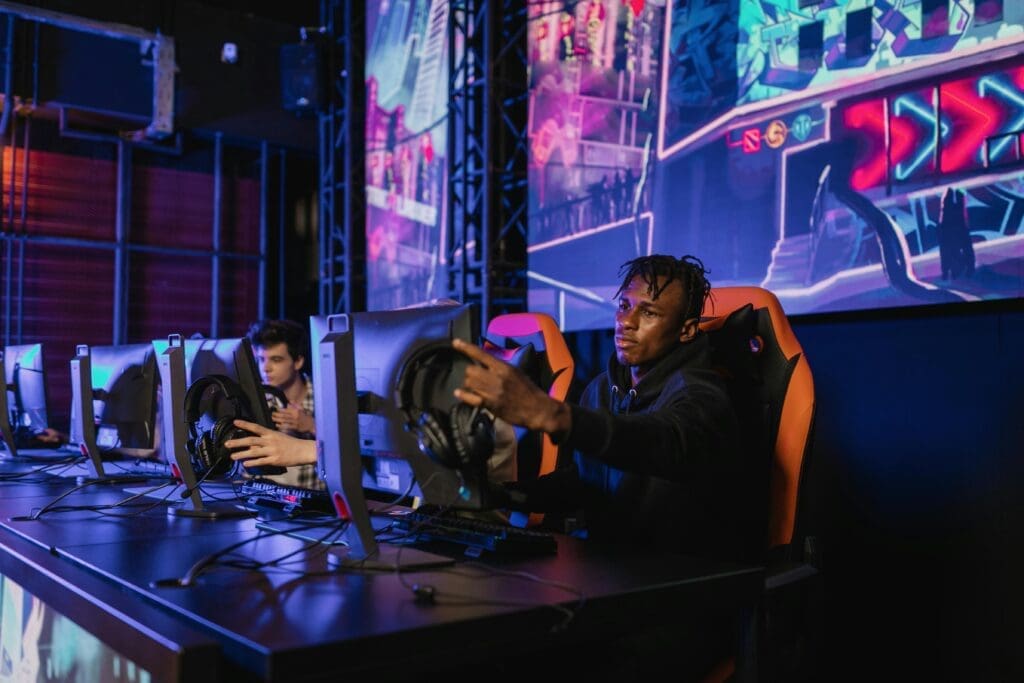 Webinar & Virtual Event StreamingHover or tap to explore
 Enhanced Live BroadcastHover or tap to explore
SOCIAL MEDIA STREAMING
Social Media Streaming
Make the stream fit the audience and channel.
A social livestream needs more than a good camera. Account access, framing, readable graphics, comment handling and a clear opening all affect the viewer experience. We scope the production around the selected destination and what you want viewers to do.